
Overview
AIZOPlan enables to replicate your organization's internal structure by defining divisions, departments, and roles. This structured setup improves permission control, clarifies team organization, and fosters more effective collaboration across projects.
This guide walks you through how to configure your organization's hierarchy and assign roles within each department.
Only AIZOPlan Administrator can perform these actions
📌Access to Hierarchy Management
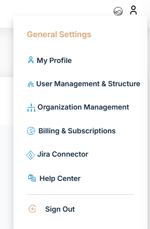
- In the upper-right corner of your screen, click on Account.
-
- Navigate to General Settings > User management & Structure
- Click on "Hierarchy Management" from the menu

📌Enter your organization Hierarchy
During this process, you’ll need to select existing users to assign as responsible persons.
To add new users, please refer to the User Management Guide for detailed instructions
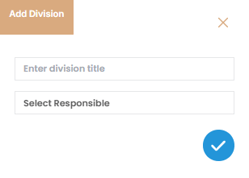
1-Add a Division
- Click the Add icon
 on the right side

- Enter the division title and select the responsible name
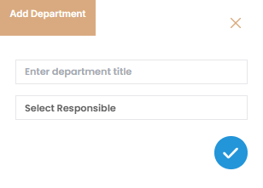
2-Add a Department
- Under a division, Click the Add icon
 on the right side of the Departments section

- Enter the departement title and select the responsible name
- Repeat this action to add multiple divisions and departments as needed.
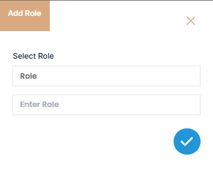
3-Add a Role Within a Department
- Select the department where the role will be added.
- Click the Add icon
 next to Roles

- Enter the Role Name
- Repeat to add additional roles within departments.
✅ Summary
Setting up your organization’s hierarchy in AIZOPlan ensures clarity in team structure, simplifies permission management, and aligns roles with departmental responsibilities.