
Overview
The Industry Blueprint module provides a structured view of how an organization operates within its sector. It serves as a starting point to accelerate your strategic planning using industry-specific best practices, sample goals, and ready-to-adapt frameworks.
AIZOPlan includes the Industry Blueprints module at the strategy level, enabling organizations to:
-
Leverage pre-configured templates tailored to specific industries
-
Visualize customer-centric strategies through a built-in Customer Journey Chart
-
Align business capabilities, digital solutions, and transformation programs with customer needs
At the core of each Industry Blueprint is the Customer Journey Chart—a visual map of the end-to-end customer experience with your organization.
It connects:
-
Customer Needs and Experiences
-
Business Capabilities that support those needs
-
Digital Initiatives or Solutions that enhance key touchpoints
-
Transformation Programs aligned to different journey stages
This layered view ensures transformation planning remains customer-centered and value-driven.
📌Access the Industry Blueprints Module
You can open the module in two ways:
-
Option 1: From the main navigation, go to
Strategy → Manage → Industry Blueprints -
Option 2: From the Strategy Office landing page, open the Industry blueprints module directly.
 Use the Industry Blueprints Module
Step 1: Add a New Customer Journey
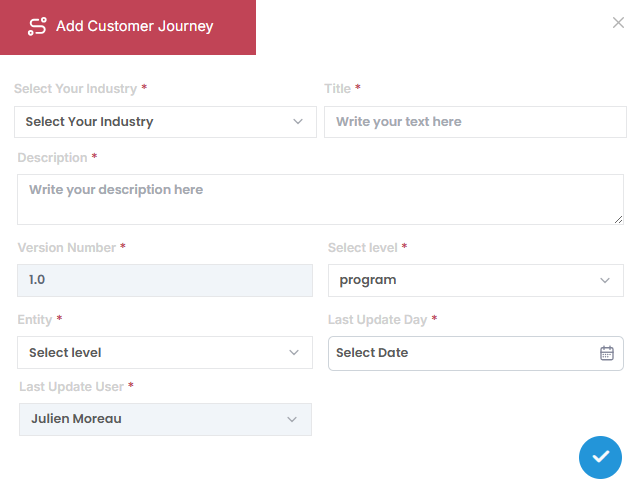
Click the icon to open the "Add Customer Journey" dialog box and complete the following fields:
- Industry – Select the industry template
- Title – Name your customer journey
- Description – Optional summary or notes
- Level – Choose between Portfolio, Program, or Project
- Entity – Select the related entity based on the chosen level
- Last Update Date – Record when this journey was last modified
Step 2: Customize the Customer Journey Chart
Click into the Customer Journey Chart to begin tailoring it to your strategic context.
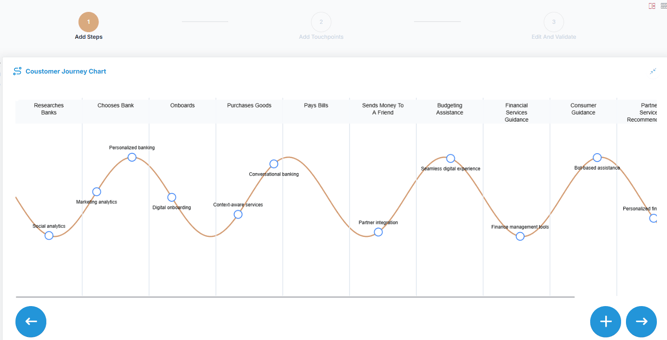
-
Add Journey Steps: Click
to add a Step at the "Add Steps" stage
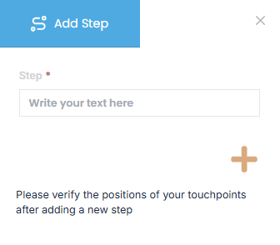
-
Insert Touchpoints: Click
 to add a touchpoint at the “Add Touchpoints” stage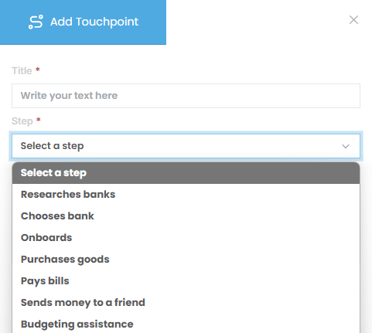
-
Edit and Rename Steps: Click
 at the "Edit and Save" stage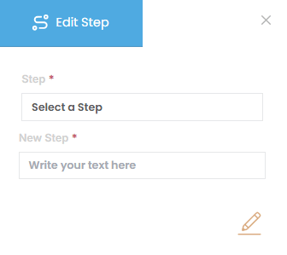
Edit Touchpoints: Click at the "Edit and Save" stage
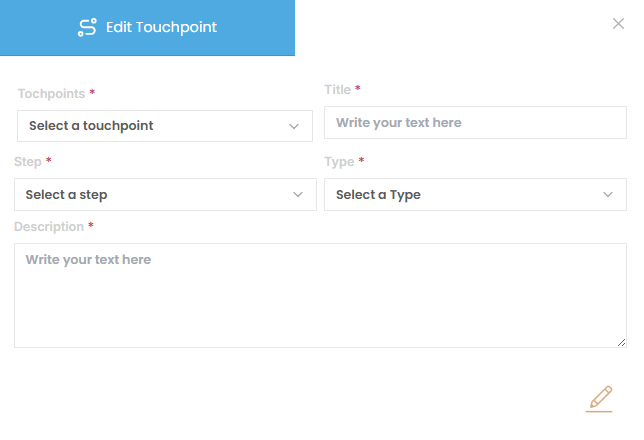
Step 3: Validate the Journey
-
Once complete, click “Validate Customer Journey” to finalize your updates.
🛠️Use the Journey Chart to Guide Strategic Initiatives
Once your customer journey is mapped:
-
Identify critical stages to focus on (e.g., friction in onboarding or low engagement post-purchase)
-
Translate customer pain points into strategic initiatives or transformation programs
-
Align goals and OKRs with key journey touchpoints to ensure a customer-centric approach
Example Use Case:
If your Customer Journey Chart shows pain points during onboarding, you may:
-
Add a strategic goal to “Improve Onboarding Experience”
-
Define OKRs tied to resolution time, training completion, or customer feedback
-
Initiate a capability enhancement for the support team