
Overview
iTransform365 is AIZOPlan’s standard strategic framework. It is an OKR-based model focused on defining Mission, Vision, Pilar, Core Values, Strategic Objectives, and measurable Key Results and helps organizations translate their vision and strategy into clear, actionable objectives, driving alignment, agility, and transformation across all levels.
This article guides you through building your strategy using the iTransform365 Wizard Stepper in the Strategy Studio.
The Wizard Stepper follows a structured approach:
- Define Strategy Attributes : Mission, Vision, Values,Pilars
- Define Strategy Goals
- Define Key Results
Access the iTransform365 Wizard Stepper
- In your Strategy Office, locate and open the Strategy Studio.
- Select "Wizard Assistance".
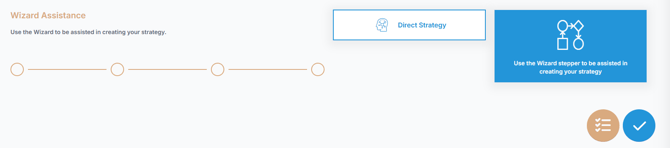
- Click
 to continue.
📌Step 1- Choose the Framework
- The framework is selected within the organization settings.
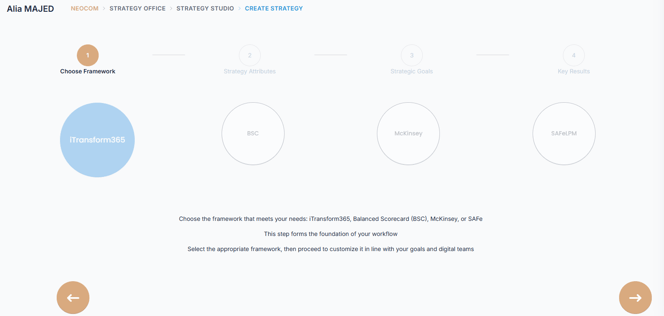
- Click the Next arrow
 to move to the next stage where you begin to define your Company Strategy Attributes, Strategy Goals and Key Results.
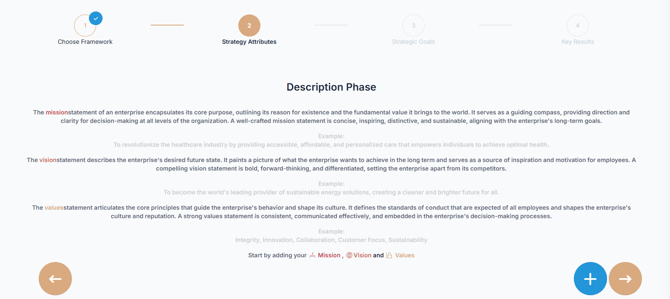
📌Step 2: Define Strategy Attributes (Mission, Vision, Values,Pilars)
A strong organizational direction begins with a clearly defined Mission, an inspiring Vision, and a set of strong Core Values. These elements shape your corporate identity and act as a strategic compass for all initiatives and decision-making.
Providing detailed and specific descriptions is crucial. The more precise your inputs, the better AIZO can assist you with future tasks, suggestions, and refinements.
💡 You can activate AIZO at any time by clicking the assistance option  for real-time guidance.
1. Define Your Company Mission:
- Click
 to open the "Add your company's Description" dialog box
 - Choose Mission from the scrolling menu.
- Enter a detailed description of your Company mission. Click AIZO
 for AI-generated suggestions.
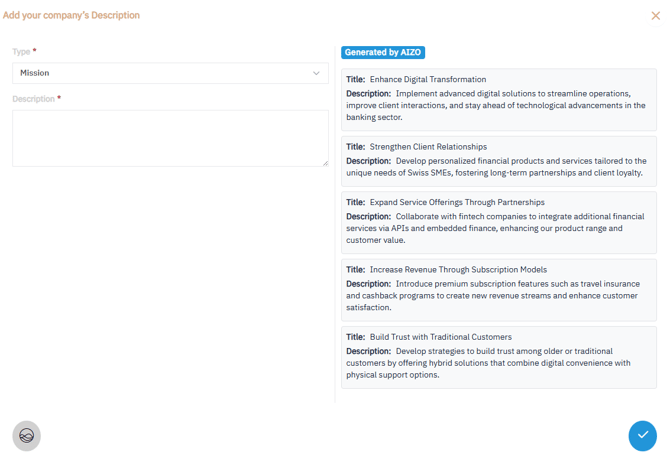
- Click
 to save.
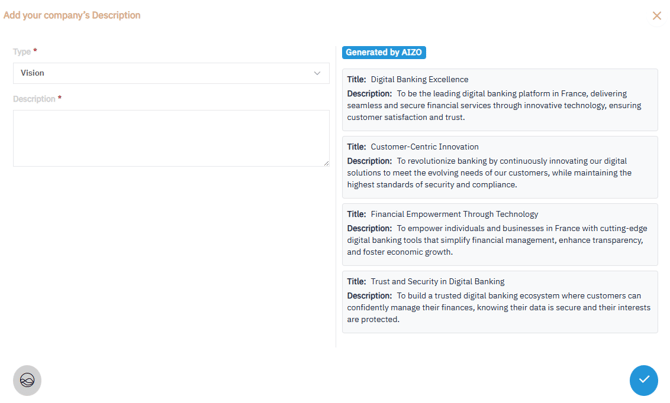
2. Define Your Company Vision:
- Click
 to open the "Add your company's Description" dialog box
 - Choose Vision from the scrolling menu.
- Enter a detailed description of your Company vision. Click AIZO
 for AI-generated suggestions
- Click
 to save.
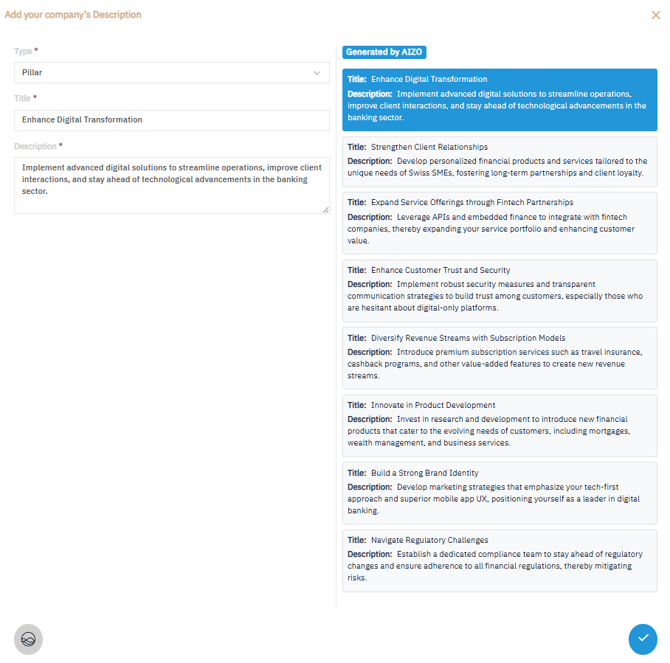
3.Define Your Company Pillars
- Select
 to open the "Add your company's Description" dialog box
 - Choose Pillar from the Scrolling Menu.
- Enter a clear description of a Pillar. Click AIZO
 for AI-generated suggestions.
 - Click to save your first Pilar. Repeat steps to add more Pillars.
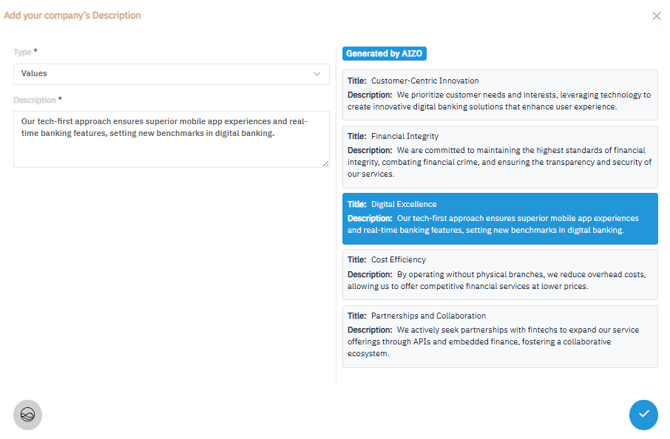
4.Define Your Company Values
- Select to open the "Add your company's Description" dialog box
- Choose Values from the Scrolling Menu.
- Enter a clear description of a core value that guides your company's behavior and decision-making. Click AIZO for AI-generated suggestions.
- Click to save your first Value. Repeat steps 1-3 to add up to 10 core Values
Once all your strategy attributes are defined, Click the Next arrow icon to move to the next stage where you will define your Strategy Goals
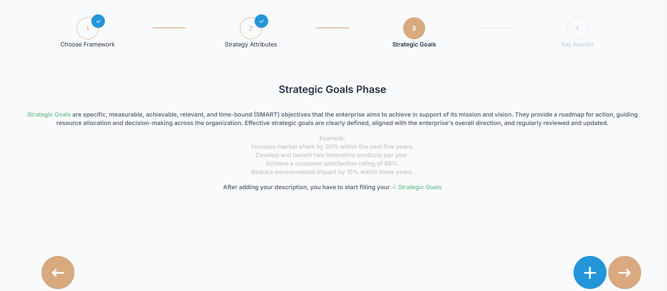
📌Step 3: Define your Company Strategic Goals
Strategic Goals outline the organization's major objectives, while Key Results provide measurable success indicators.
1. Click to open the "Add your company's strategic Goal" dialog box.
2. Select a Pillar from the list.
3. Provide a detailed description of the goal. Click AIZO  for AI-generated suggestions
4. Click to save.
5. Repeat steps 1–4 to add more Strategic Goals as needed.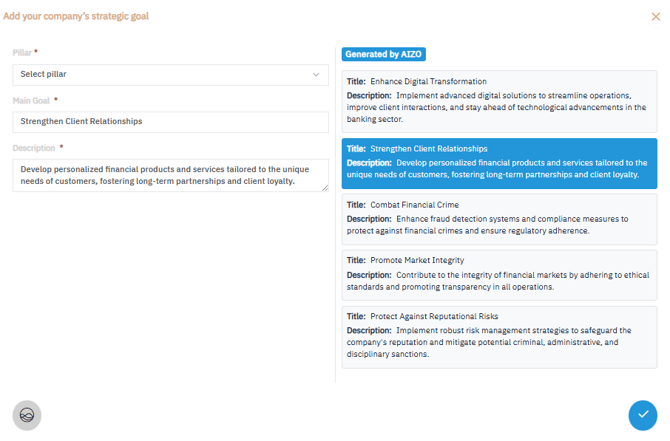
After defining all strategic goals, Click the Next arrow icon to move to the next stage where you will define your your Key results
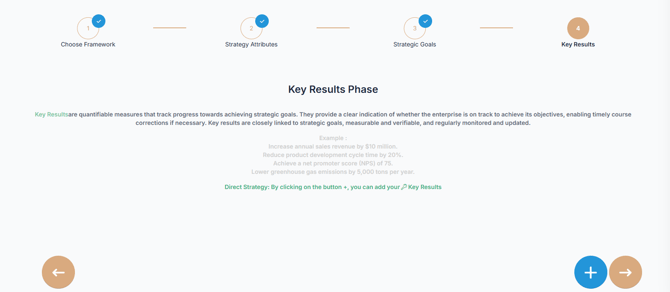
📌Step 4: Define Key Results
1. Click to open the "Add your company's Key Result" dialog box
2. Complete the Following Fields:
-
- Strategic Goal: Choose the Strategic Goal this Key Result is linked to from the scrolling list.
- KR Title: Choose a clear, concise title summarizing the Key Result.
- Action: Define your action plan for achieving this Key Result.
- Frequency: Select the desired Key Result Tracking frequency.
- When: Specify the timeline for achieving the Key Result.
- Reason: Explain why this Key Result matters and how it aligns with your broader strategy.
- Initial and Target Values: Set measurable initial and target values to track progress and success.
- Description: Describe what success looks like for this Key Result.
3. Click to save your Key Result.
4. Repeat to add more Key Results as needed.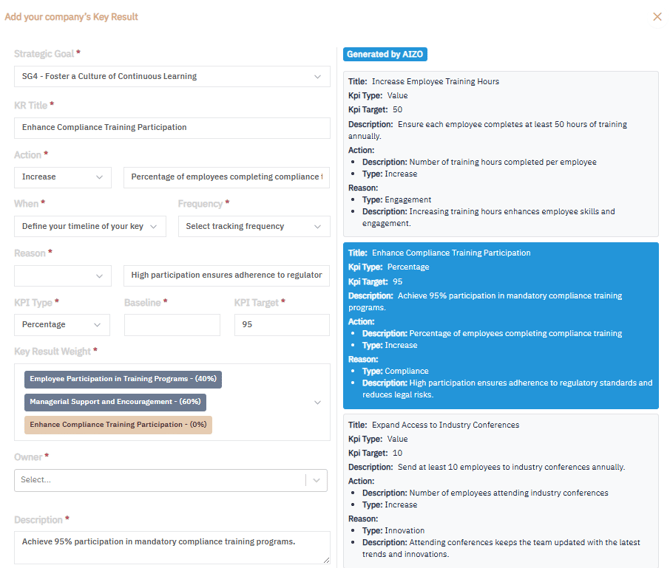
and then Validate to finalize and display the iTransform365 View.
📊iTransform365 View
After validation, the iTransform365 View provides a structured, visual summary of your strategy. It includes:
-
Your defined Strategy Attributes (Mission, Vision, Values,Pillars)
-
All Strategic Goals
-
Their associated Key Results
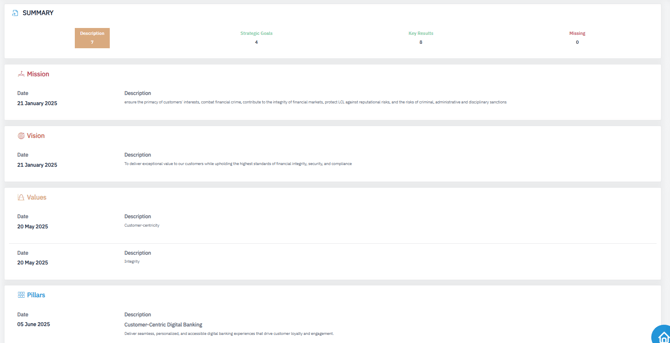
✅ Summary
Using the iTransform365 Wizard Stepper in the Strategy Studio helps you systematically define your company’s strategy—from high-level mission and vision to detailed goals and measurable outcomes. With the support of the iTransform365 framework and AIZO assistance, your strategy becomes clearer, more actionable, and fully aligned with your organization’s transformation objectives.