
Overview
AIZOPlan provides a comprehensive set of project-level dashboards that offer real-time insights into performance, financials, and execution status. These tools enable informed, data-driven decisions throughout every stage of the project lifecycle.
📌Access Project Dashboards
- Navigate to the main menu:
Project > Track > Project Dashboard
🔍Understand Project Dashboard
AIZOPlan includes four key dashboards to support project-level monitoring:
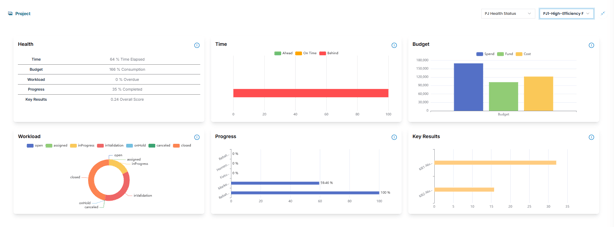
Health Status
Monitor the overall health of a selected project, including:
-
Time status
-
Budget status
-
Execution progress
-
Performance metrics
-
Workload balance
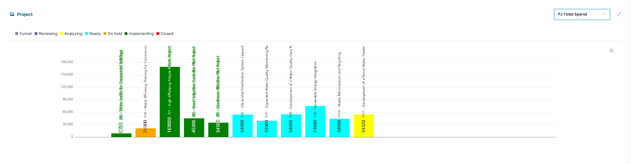
PJ Total Spend
Displays the total project spend across all associated backlog items, providing visibility into financial performance.
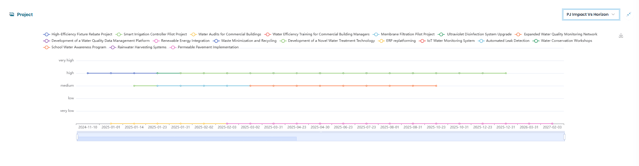
PJ Impact Vs Horizon
Evaluates how project outcomes align with strategic planning horizons—short, medium, or long term.
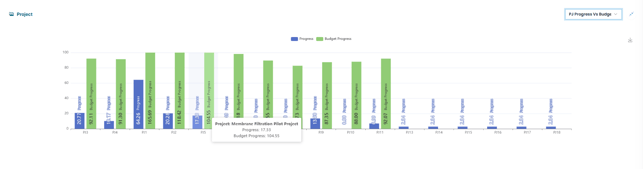
PJ Progress Vs Budget
Compare project execution progress with budget consumption to understand delivery efficiency and cost control across the backlog.
📤Export Project Dashboards
Some Project dashboards can be exported for use in reporting or presentations
Simply click  to save as image .
✅Summary
AIZOPlan’s project dashboards are powerful tools for tracking and communicating project performance