
🔍 Overview
AIZOPlan provides role-based Command Centers, each designed to support a specific management responsibility.
Each Command Center acts as a decision cockpit, combining real-time data, guided journeys, and quick access to the right studios—so managers can focus on what matters most for their role.
The main Command Centers are designed for:
- Strategic Managers
- Finance Managers
- PMO / Program Managers
- Project Managers
This article focuses on the Strategy & Portfolio Command Center, designed specifically for Strategic Managers to drive strategy definition, portfolio planning, and performance monitoring.
📌Access Strategy & Portfolio Command Center
You can access the Strategy & Portfolio Command Center in two ways:
-
when you log in to AIZOPlan by selecting the Strategic Manager role,
-
At any time, click the Home icon
 in the top-right corne and select the Strategic Manager role.

The purpose of this Command Center is to define strategy, prioritize demands, plan investments, and monitor portfolio performance from vision to execution.
🎯 Explore the Strategy & Portfolio Command Center
Key Metrics
You can visualize:
- Number of portfolios under management
- Pending demands and investment status
- Total invested amount
- OKR progress
- Strategic risks increasing

Alerts & Activity Tracking
You can :
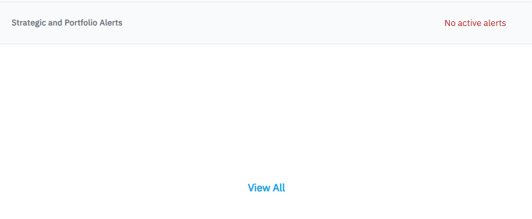
- Access Strategic and Portfolio Alerts to view all active alerts
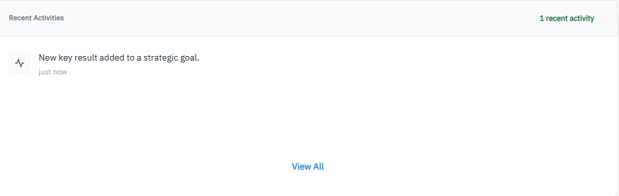
- Access Recent Activities to track the latest strategic actions and updates
Strategy Management Office (SMO) Journey
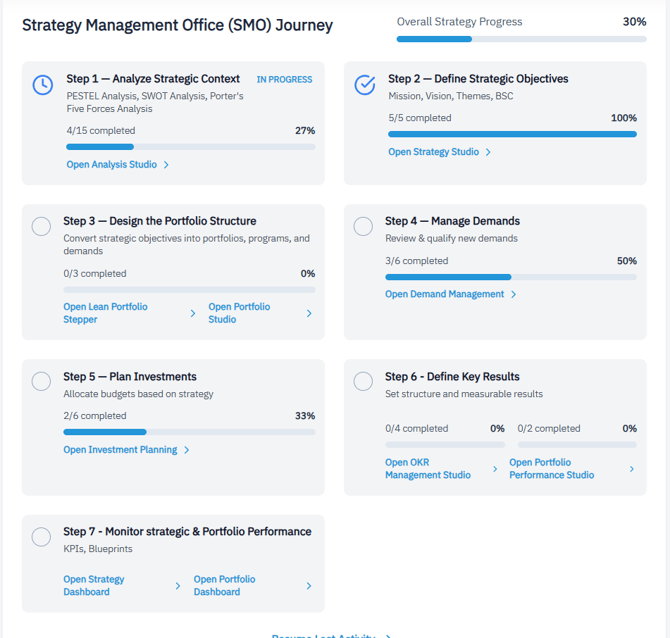
The SMO Journey guides strategic leaders through a structured, end-to-end strategy execution lifecycle.
It clearly shows:
-
Which steps are in progress or completed
-
Which studio should be used at each step
Journey Steps
-
Step 1 — Analyze Strategic Context
PESTEL Analysis, SWOT Analysis, Porter’s Five Forces Analysis -
Step 2 — Define Strategic Objectives
Mission, Vision, Strategic Themes, Balanced Scorecard -
Step 3 — Design the Portfolio Structure
Convert strategic objectives into portfolios, programs, and demands -
Step 4 — Manage Demands
Review, qualify, and prioritize new demands -
Step 5 — Plan Investments
Allocate budgets based on strategic priorities -
Step 6 — Define Key Results
Define structured, measurable Key Results (OKRs) -
Step 7 — Monitor Strategy & Portfolio Performance
Track KPIs, performance blueprints, and outcomes
Quick Access
Frequently used studios include :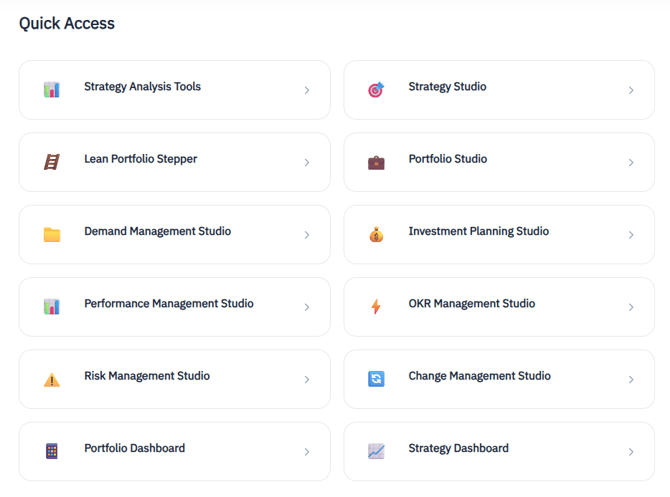
✅ Summary
The Strategy & Portfolio Command Center empowers Strategic Managers with a single, role-focused workspace to drive strategy execution with clarity, discipline, and visibility.