
Overview
The Balanced Scorecard (BSC) is a strategic management framework that helps organizations translate their vision and strategy into actionable objectives across four key perspectives: Financial, Customer, Internal Processes, and Learning & Growth.
After defining your company’s Mission, Vision, and Strategic Themes, the next step is to establish Strategic Goals—broad objectives that drive your organization’s direction—and link them to Key Results, which serve as measurable indicators of success.
This article explains how to define and manage your company’s Strategic Goals and Key Results using the Direct Mode in the Strategy Studio. This approach is ideal when your strategy is already established, and you simply need to input or update your strategic components without step-by-step guidance.
If you prefer a guided, step-by-step process, you can use the Balanced Scorecard Wizard Stepper
💡 Tip: You can activate AIZO at any time by clicking the assistance option  for real-time guidance.
📌 Step1-Accessing Strategy Studio
- In your Strategy Office, locate and open the Strategy Studio.
🎯 Step2-Defining Strategic Goals
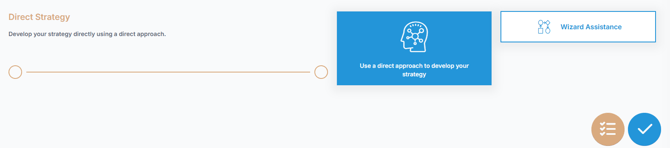
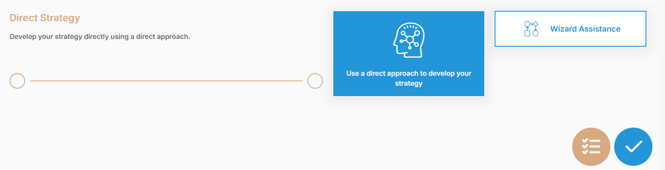
- Select "Direct Strategy" Option and click
 to continue.
- Select "Strategic Goals"
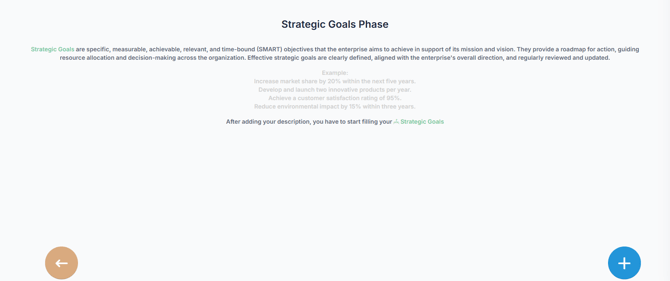
- Click
 to open the "Add your company's Strategic Goal" dialog box.
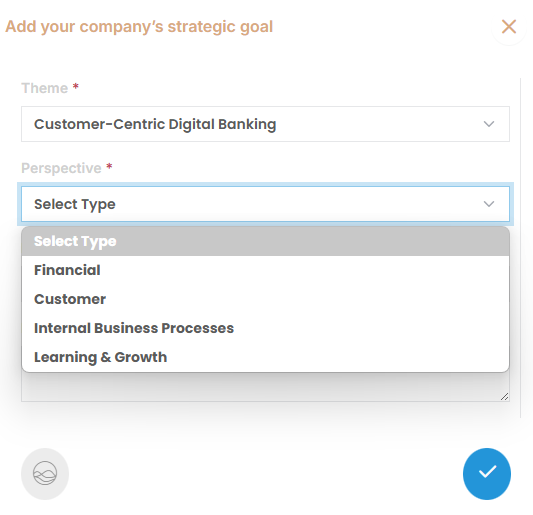
 - Select one Theme and one Perspective
- Enter a clear and concise name and description for your strategic goal.
- Click
 to save the strategic goal.
 - Repeat the last steps to add more strategic goals.
📈Step3-Adding Key Results
- Once goals are defined, click "Direct Strategy" again and validate.
- Select "Key Results" to proceed with defining success metrics for your goals.
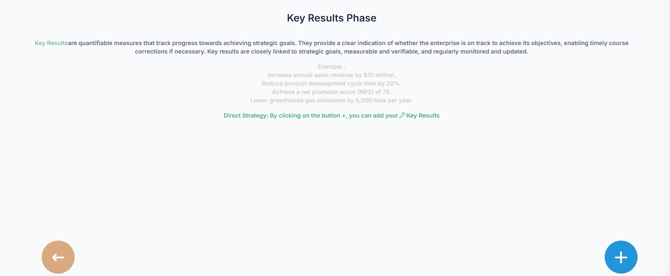
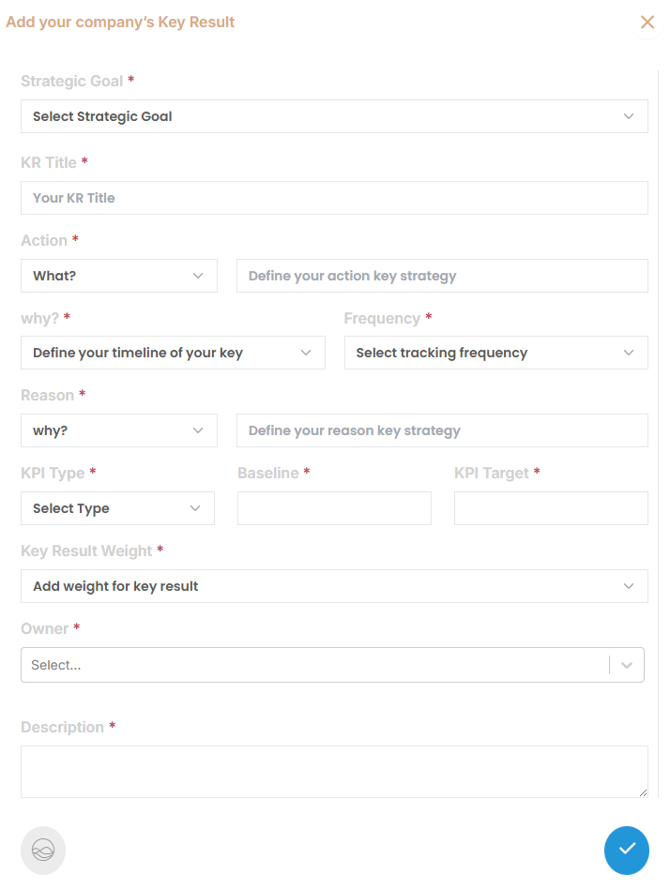
- Click to open " Add your company's Key Result" dialog box.
- Fill in the following fields:
- Title: Provide a clear and concise name for the Key Result.
- Description : Define what success looks like for this portfolio objective.
-
-
Action: Choose a strategic action verb, such as:
Increase, Decrease, Improve, Optimize, Develop, Expand, innovate...
Then specify the performance area or metric.Example: increase Customer Retention Rate by 15%s
-
When
Select the time horizon or timeframe for achieving the result. -
Frequency
Choose how often progress will be tracked (e.g., weekly, monthly, quarterly). -
Reason
Select the strategic reason for this KR (e.g., Growth, Efficiency, Market Share, Innovation, Customer Experience, profitability) and describe the rationale. -
KPI Type
Indicate whether the result is measured by Percentage or Absolute Value. -
Initial Value
Input the current baseline or starting point. -
Target Value
Set the quantifiable goal you aim to reach.
-
- Click to save the key result.
- Repeat the last two steps to add more key results for each strategic goal.
Note : Every key result must be linked to a specific strategic goal. Multiple key results can contribute to the achievement of a single strategic goal.
🔍Viewing Your Strategic Summary with the Balanced Scorecard View
- In your Strategy Office, locate and expand the Strategy Studio section.
- Click on the View Icon

-
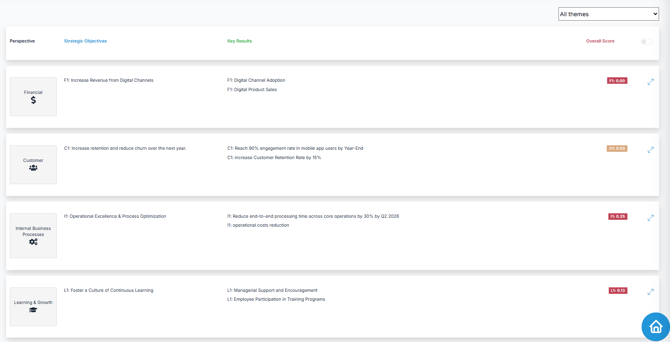
The Balanced Scorecard View provides a structured, visual summary of your strategy. It includes:
- All Strategic Goals, organized by Perspective (e.g., Financial, Customer, Internal Processes, Learning & Growth) and grouped under their corresponding Strategic Themes
- The Key Results associated with each goal, enabling clear tracking of progress and alignment
✏️How to update your company's Strategic Goals and Key Results (OKRs)
Updating Strategic Goals
- In your Strategy Office, locate and expand the Strategy Studio section.
- Select the "Direct Strategy" Option and click to continue
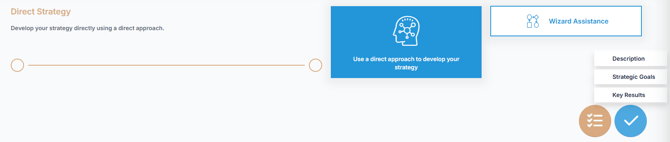
- Select "Strategic Goals"
- Locate the specific strategic Goal you wish to update.
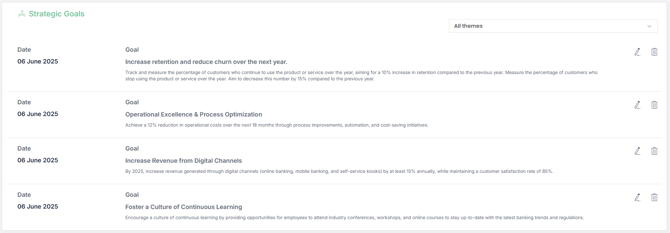
- Click the
 Edit icon to open the update dialog box.
 - Modify the Strategic Goal description as needed
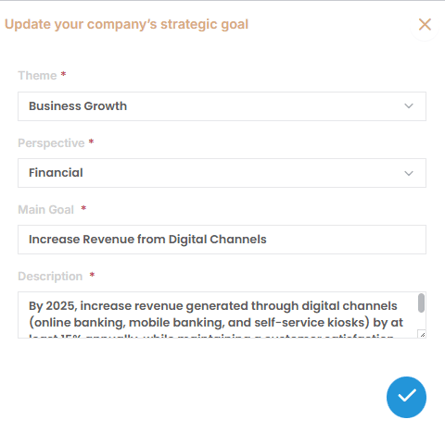
- Click to save your changes.
Deleting a Strategic Goal:
- In your Strategy Office, locate and open the Strategy Studio.
- Select the "Direct Strategy" Option and click to continue
- Select "Strategic Goals"
- Locate the specific strategic Goal you wish to delete.
- Click the "Delete" icon
 next to the strategic Goal you wish to remove.
 - Confirm the deletion by clicking "Validate".
Updating Key Result
- In your Strategy Office, locate and open the Strategy Studio.
- Select "Direct Strategy" and click to continue
- Select "Key Results"
- Locate the specific key results you want to update.
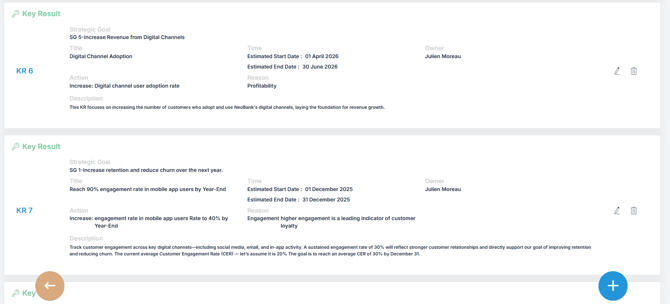
- Click the "Edit" icon to open the update dialog box.
- Modify the Key Result description as needed
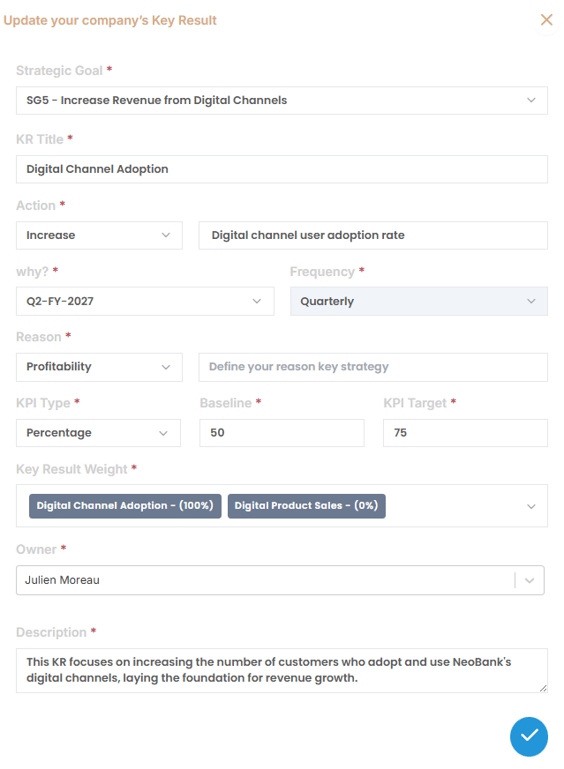
- Click to save your changes.
Deleting a Key Result:
- Select the "Direct Strategy" Option and click to continue
- Select "Key Results"
- Locate the specific Key Result you wish to delete.
- Click the "Delete" icon next to the Key Result.
- Confirm the deletion by clicking .
✅Summary
Defining and managing Strategic Goals and Key Results (OKRs) ensures that your organization stays focused, aligned, and performance-driven. Using the Strategy Studio not only structures your strategic objectives but also provides a clear framework for measuring success. Regular updates and reviews help keep your strategy dynamic and responsive to change, ensuring sustainable progress toward your long-term goals.
👉 For a detailed step-by-step guide on Forecasting OKR or Tracking OKR progress once your OKRs are in motion, See the related articles
- How to track OKR progress using OKR Management Studio
- How to Forecast your Strategic OKRs with Planning Studio