
Overview
The Planning Studio offers an interactive, timeline-based view that helps you visualize all your key results and their alignment with strategic goals. It enables you to monitor progress at a glance and adapt plans as priorities shift.
With intuitive drag-and-drop functionality, you can easily reorganize key results to respond to evolving business needs or strategic changes.
In this section, you’ll learn how to View the OKR Roadmap, Monitor OKR progress and Adjust planning horizons.
📌Step1-Access the Planning Studio
You can open the studio in two ways:
-
Option 1: From the main navigation, go to
Strategy → Plan → Planning Studio -
Option 2: From the Strategy Office landing page, open the Planning Studio directly.
📌Step2-Understand the OKR Roadmap for Forecasting
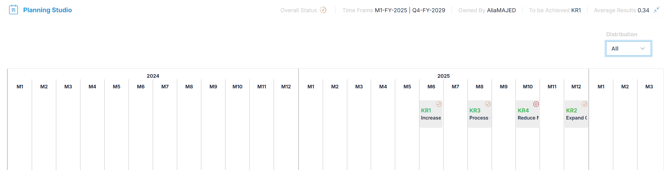
The OKR Roadmap displays all objectives across your horizon timeline, offering a visual sequence of goals and their dependencies. It helps you:
- Understand when and where to focus efforts
- Track the alignment of objectives with strategic goals over time
📌Step3-Adjust Horizons to Refine Forecasts
Customize time horizons to better predict long-term outcomes:
-
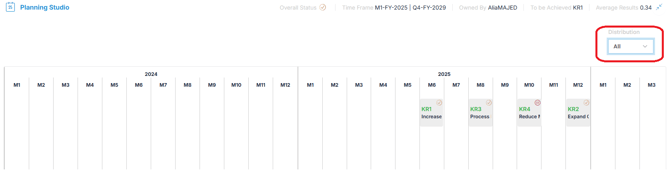
Click the Horizon Definition icon in the top-right corner.
-
Define, shorten, or extend timeframes based on evolving strategic needs.
📌Step4-Analyze OKR Status
Each OKR is marked with a status indicator:
-
Stuck
 : At risk—forecast possible delays or obstacles.
 -
Working on it
 : On track—monitor closely to confirm trends.
 -
Done: Achieved—consider closing or moving to the next phase.
By tracking the distribution of statuses, you can forecast:
-
Which objectives may require additional support.
-
Which Key Results are likely to be completed on time.
-
Potential bottlenecks impacting overall strategy.
📌Step5-Monitoring Average OKR Results
Monitoring the Average Results allows you to forecast whether your strategic OKRs are progressing well enough to be achieved within the planned horizons.
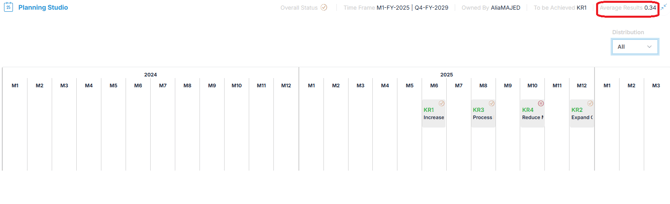
The Average Result aggregates the overall Progress Score across all OKRs, measured on a scale from 0.0 to 1.0:

Adjust Key Results Using Drag-and-Drop
- You can drag and drop Key Results across different horizons to adjust timelines dynamically, ensuring goals remain aligned with your evolving strategic priorities.
✅Summary
Forecasting your strategic OKRs with Planning Studio allows you to move from static goal tracking to proactive, forward-looking strategic management.
By analyzing the OKR Roadmap, monitoring progress trends, adjusting horizons, and interpreting Key Result performance, you can anticipate risks early and make smarter decisions.
Leveraging these forecasting capabilities helps ensure your organization stays aligned, agile, and focused on achieving long-term strategic success.
👉 For a detailed step-by-step guide on tracking progress once your OKRs are in motion, see the related article: How-to-track-okr-progress-using-okr-management-studio